Translate videos into 100+ languages.
Subtitles, AI dubbing, voice cloning, and automatic lip sync.

Translate your entire video in one place
Translate, dub, and subtitle videos for global audiences
One workflow for video localization
Translate spoken audio and subtitles into 100+ languages without switching between separate tools. Kapwing combines AI translation with dubbing, voice cloning, automatic lip sync, and editable subtitles, so you can localize a video while keeping control over the final result.
Review and edit translations before you export, adjust pronunciation and timing, and set translation rules for names, brand terms, and recurring phrases. Everything stays inside the same video project, making it easier to translate, refine, and publish content for different audiences.

How to translate videos online
Choose a language, review your translation, and export
Upload
your video to the Kapwing Studio


Translate
into 100+ languages using AI dubbing, lip sync, and subtitle translation
Export
translated videos in high resolution, then download or share to socials
Tailor content to any international audience
Join 35M+ worldwide users creating and translating videos with Kapwing

Online Courses
Online educators auto-translate lectures into regional languages for free, using dubbing, subtitles, and transcripts to support global learners with downloadable MP4 files
.webp)
Podcasts
Podcast creators use our Video Language Converter to translate episodes into 100+ languages, using dubbing and subtitles to reach listeners in their native language
.webp)
Training Videos
Global companies localize training videos to support multilingual teams, ensure understanding of policies and procedures, and expand their talent pool
.webp)
Conference Recordings
Event organizers and conference hosts localize recorded sessions to give global attendees equal access to content, using AI transcription for those who can’t join live
.webp)
Customer Support
Interviews are adapted for international viewers by media companies and producers who use translated subtitles or speaker-specific dubbing to retain tone and accessibility

Interviews
Interviews are adapted for international viewers by media companies and producers who use translated subtitles or speaker-specific dubbing to retain tone and accessibility

Marketing Videos
Marketing teams localize promotional videos for regional campaigns, using Kapwing’s customization options to keep both audio and visuals aligned with brand identity

Short Films
Short movies are adapted for global audiences by filmmakers who translate dialogue, add localized subtitles, and adjust cultural references — ensuring the story stays authentic
Accurate translations for every video element
Localize speech and subtitles in an online studio
Dub spoken audio with AI voices
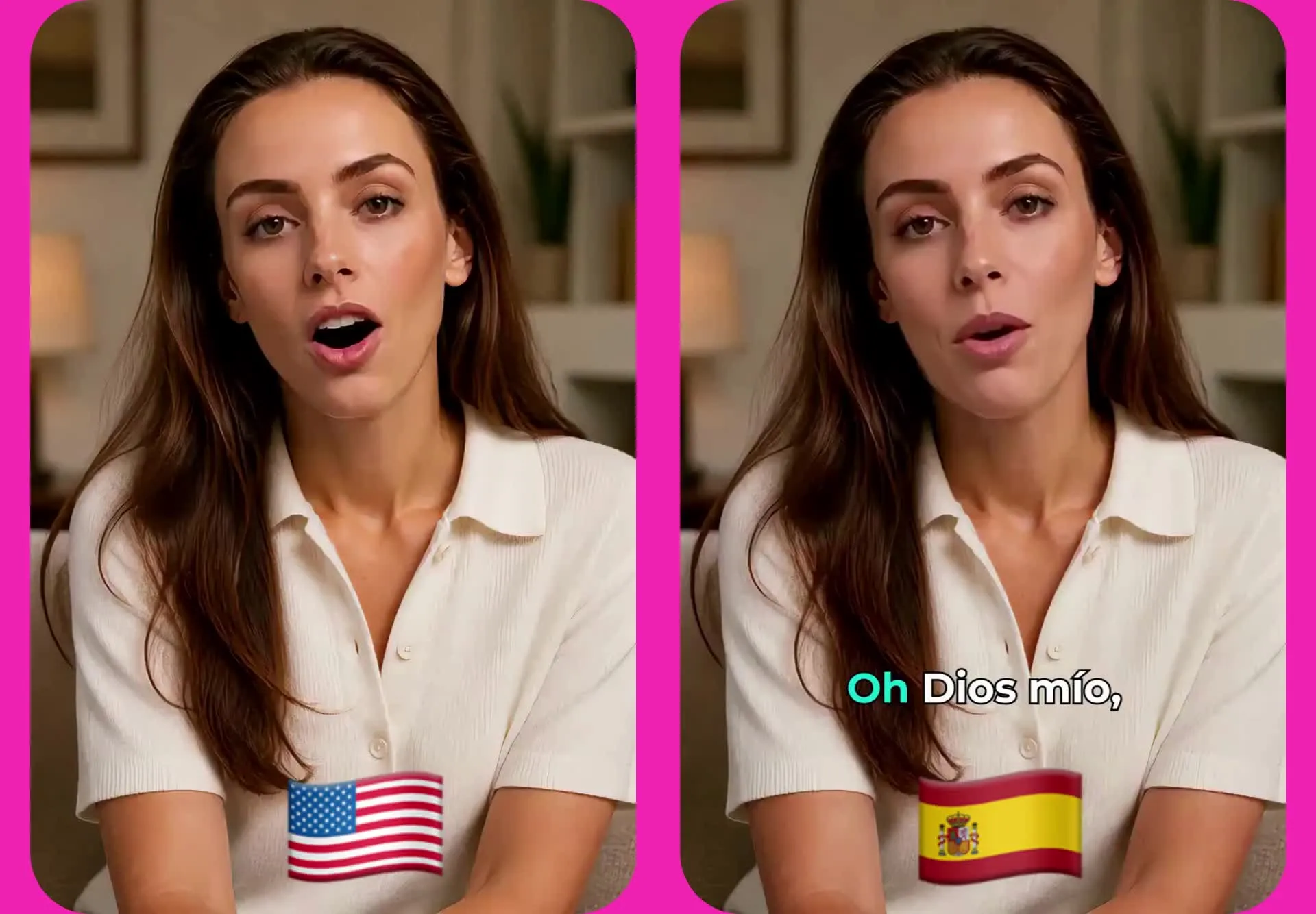
Translate your video's spoken audio into another language and generate an AI voiceover that fits the original delivery. Choose from 180+ AI voices or clone the original speaker's voice to keep translated versions consistent across languages.
Kapwing's AI dubbing tools turn the translated transcript into new speech, while automatic lip sync helps align the translated audio with speakers on screen. Review the translation, change voices, and adjust timing before exporting your localized video.
Refine subtitles for every language
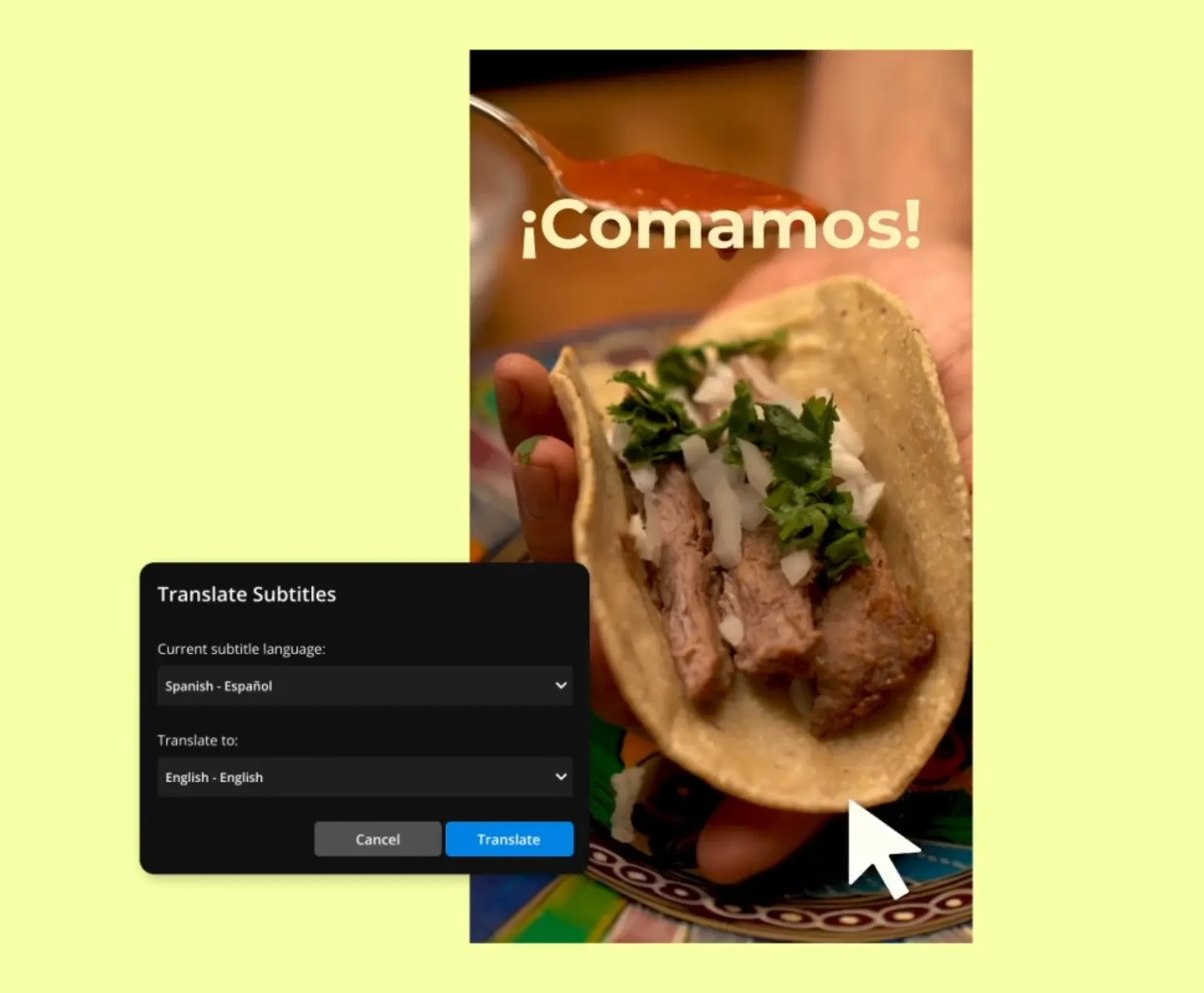
Generate translated subtitles in 100+ languages alongside your dubbed video, or translate subtitles while keeping the original audio. Review the translated transcript before publishing, then edit wording and formatting to fit your audience and brand.
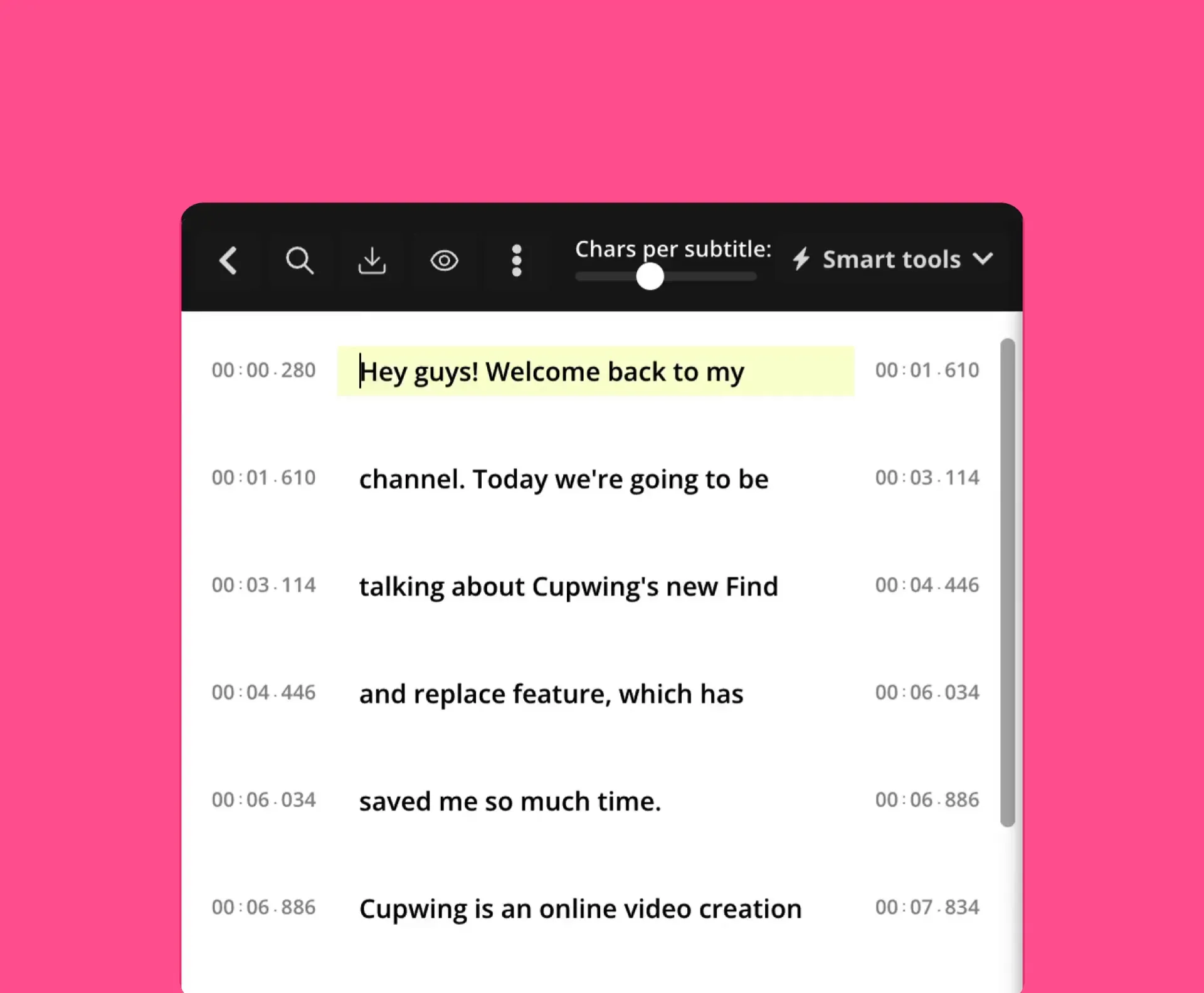
Customize subtitle fonts, colors, size, position, and animation directly in Kapwing. If translated lines need timing adjustments, you can also sync subtitles with your video so each caption appears at the right moment.
Benefits of Video Translation
72%
of consumers are more likely to buy a product if they can easily find info about it in their own language (source)
80%
of Gen Z audiences prefer video subtitles, and 61% of people who localize video content translate their subtitles (source)
15%
increases in productivity have been reported by teams using bilingual training materials (source)
Control how your videos translate
Customize pronunciation, speed, and edit without restrictions

Timing Adjustments
By switching the "Timing toggle" on, Kapwing will automatically adjust the speed to create a more natural and realistic alignment between the dubbed audio and video

Translation Rules
By saving custom Translation Rules, you ensure brand names, acronyms, and product terms are automatically translated exactly how you want in the final dub

Search & Replace
Quickly find and update terms in your transcript before dubbing starts — a time-saver for anyone, but a complete game-changer for teams managing high volume of dubbed content

Pronunciation Rules
Clumsy AI pronunciation can ruin a great video. Use phonetics to teach the dubbing tool how to pronounce difficult or branded terms correctly.

Custom Spellings
Add Custom spelling rules for your subtitles. Simply time up the spelling replacements you want and Kapwing will save them for all future projects.
Keep every translation editable
Stay flexible with online projects you can update any time
Review and refine every translated video
AI translation gives you a starting point, not a locked final version. Kapwing keeps translated dialogue, subtitles, and video together in the same project, so you can review each change in context and refine the localized version before publishing.
Edit the translated transcript to correct wording or add context, then regenerate the affected voiceover without starting the translation again. Adjust subtitle timing when translated sentences run longer or shorter, refine pronunciation and pacing, and preview the finished video as you work.
Once the translation is ready, make any final video edits in the same project and export the localized version in up as MOV, MP4, or WebM in up to 4K without moving files between separate translation and editing tools.
Already transforming video creation across industries
Hear directly from the teams who publish faster, collaborate better, and stay ahead.


How to Translate a Video Online

- Step 1Upload video
Upload a video, paste a URL or record directly into the studio. Next, open the "Translate" tab in the left-hand toolbar.
- Step 2Translate video
Confirm the original language of the video and select a new language output. Select the voice you want to use in the translated video; keep the original speaker’s voice or choose from over 180 AI voices.
- Step 3Download and share
Use the "Advanced Settings" and "Review transcript" buttons then select "Dub Video". Your video will generate with subtitles, dubbing, and a transcript. You can apply automatic Lip Sync after the generation is complete, add further edits, then export.
What's different about Kapwing?



Frequently Asked Questions
We have answers to the most common questions that our users ask.
Is the Video Translator free to use?
Yes, our online Video Translator tool is free for all users to try, including a limited number of minutes for subtitles, translated subtitles, auto-dubbing, and lip sync. With a Pro Account upgrade, you’ll get extended monthly minutes along with access to Voice Cloning.
Is there a watermark on exports?
If you are using a Free Account, then all your exports — including from the online Video Translator — will include a small watermark. After upgrading to a Pro Account, the watermark will be removed from all videos.
Can I translate an audio file?
Yes, with Kapwing's Audio Translator you can upload a separate audio file, dub the spoken audio, and then download it as an MP3. Alternatively, you can download the transcript or subtitles file.
Why should I translate a video?
There are many of reasons to translate a video, but these are three key ones:
- Audience Expansion: Translation gives you the ability to instantly reach huge global audiences you'd otherwise never reach, massively increasing your pool of potential followers and subscribers. For example, you can translate video to Hindi, the primary language of India, which has nearly twice the YouTube viewership of the US (only about 10% of the world's population speaks English natively).
- Better Discoverability: Translated content can be indexed in multiple languages by search engines like Google and YouTube, so translating your video immediately improves your video's SEO and discoverability for anyone who searching for content in your niche.
- Improved Monetization: By speaking to new language communities, you open the door to exponential monetary growth. YouTube, for instance, pays creators based on ad revenue, meaning your earning potential naturally grows as your content becomes available to a far broader viewership.
What is the difference between dubbing and lip sync?
Dubbing is a post-production process where the original audio track of a video is replaced with a new recording, typically in a different language. This technique is commonly used to make content accessible to audiences who speak different languages.
Lip syncing involves aligning the new audio track with the lip movements of the on-screen actors. This process is crucial in dubbing to maintain the illusion that the actors are speaking the translated dialogue naturally. Accurate lip syncing enhances the viewing experience by making the dubbed content feel more realistic and seamless.
How long does it take to translate a video?
With Kapwing’s translation flow, translating a video into a new language typically takes just a few minutes — though timing may vary based on video length.
How many languages can Kapwing translate my video into?
Kapwing supports translation into over 100 languages for subtitles, with support for AI Voice Dubbing in 40+ languages.
Can I choose the voice for dubbing?
Yes, you can recreate the original voice, clone your own, or choose from a library of AI-generated voices with different accents and tones.
How accurate is the video translator?
Kapwing prides itself on delivering highly accurate translations, citing up to 99% accuracy. Unlike other video translators, it also lets you add custom spellings and pronunciations with the Translation Rules feature to ensure complete accuracy.
Can I translate music video lyrics?
Yes, you can translate lyrics by uploading an audio or video file, or by pasting a URL link to a music video. Open "Subtitles" from the left toolbar and click "Auto-subtitles". Choose an original language and a new output language. Within a couple of minutes a subtitle layer will be generated displaying the translated song lyrics. For improved results, try using our Remove Vocals tool that can separate the vocals and instrumentals.
Discover Resources
Tips, templates, and deep dives to help you create faster and share with confidence.
View all


Get started with your first video in just a few clicks. Join over 35 million creators who trust Kapwing to create more content in less time.